
Dealer Workspace
Apps


Healthcare · Digital product
A healthcare app concept that helps a patient follow a request as it passes between a doctor’s office, an insurance plan and a clinic. My Health brings the current step, the responsible organization and the available next action into view, alongside a connected experience for the doctor.
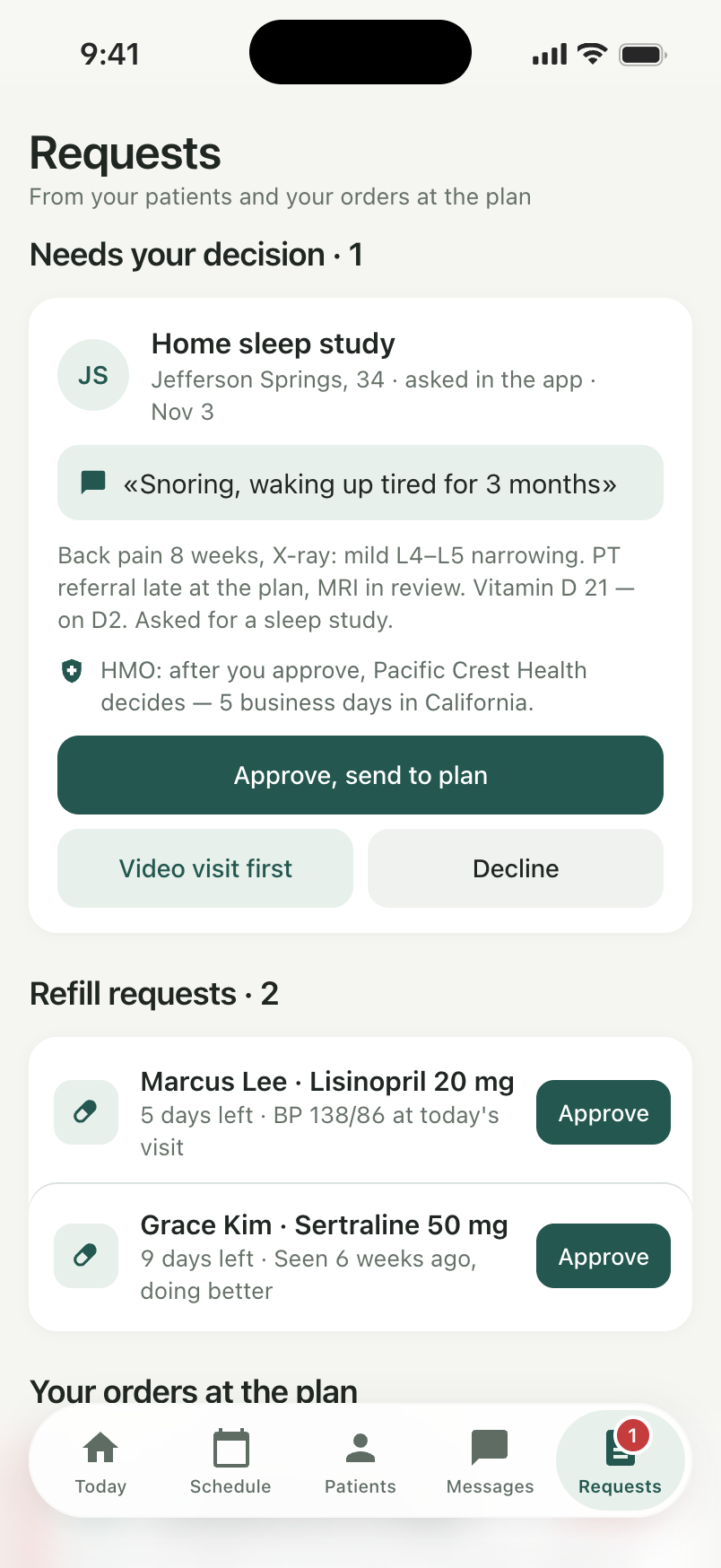
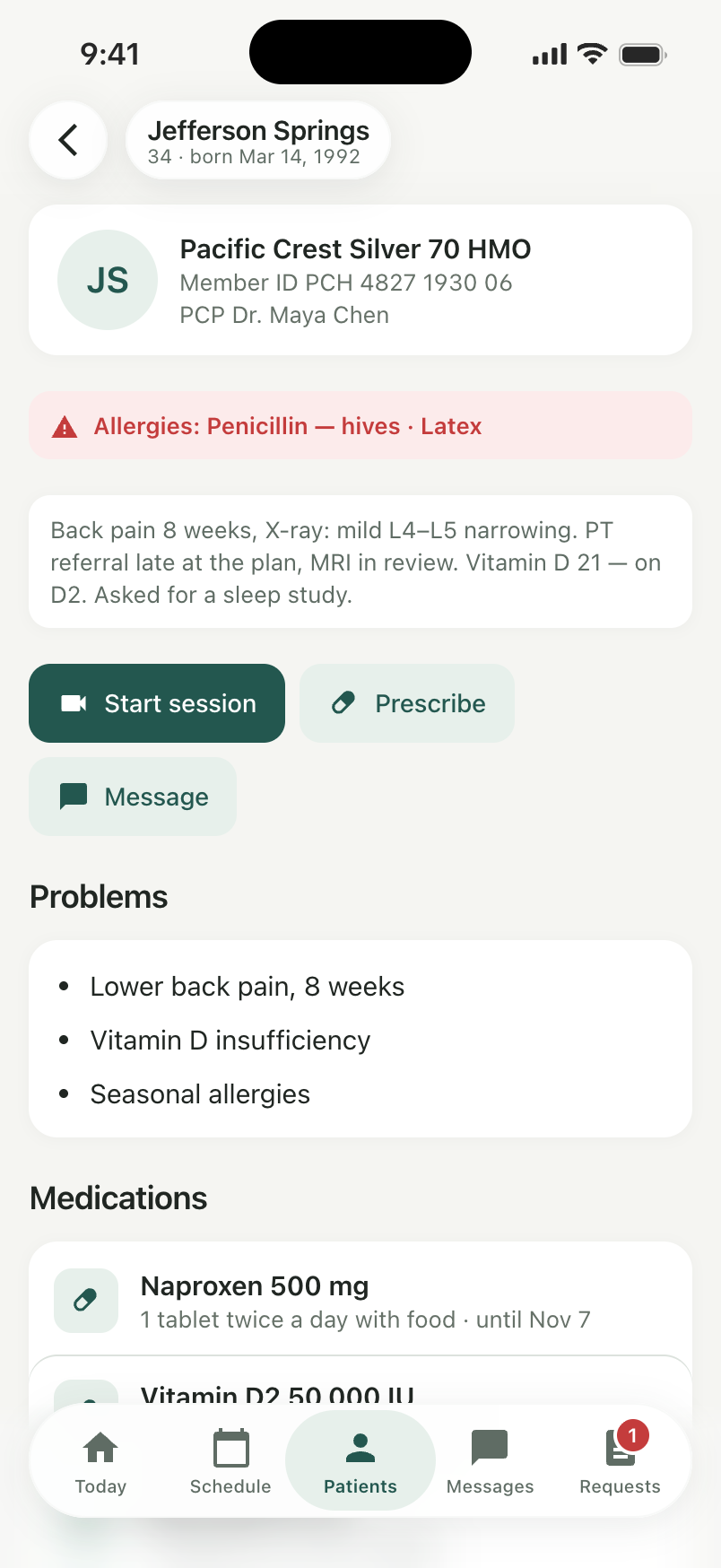
The doctor’s side of the same request. Patient messages, relevant history and pending decisions come together so the doctor can review the context, choose the next step and keep the patient’s request moving.
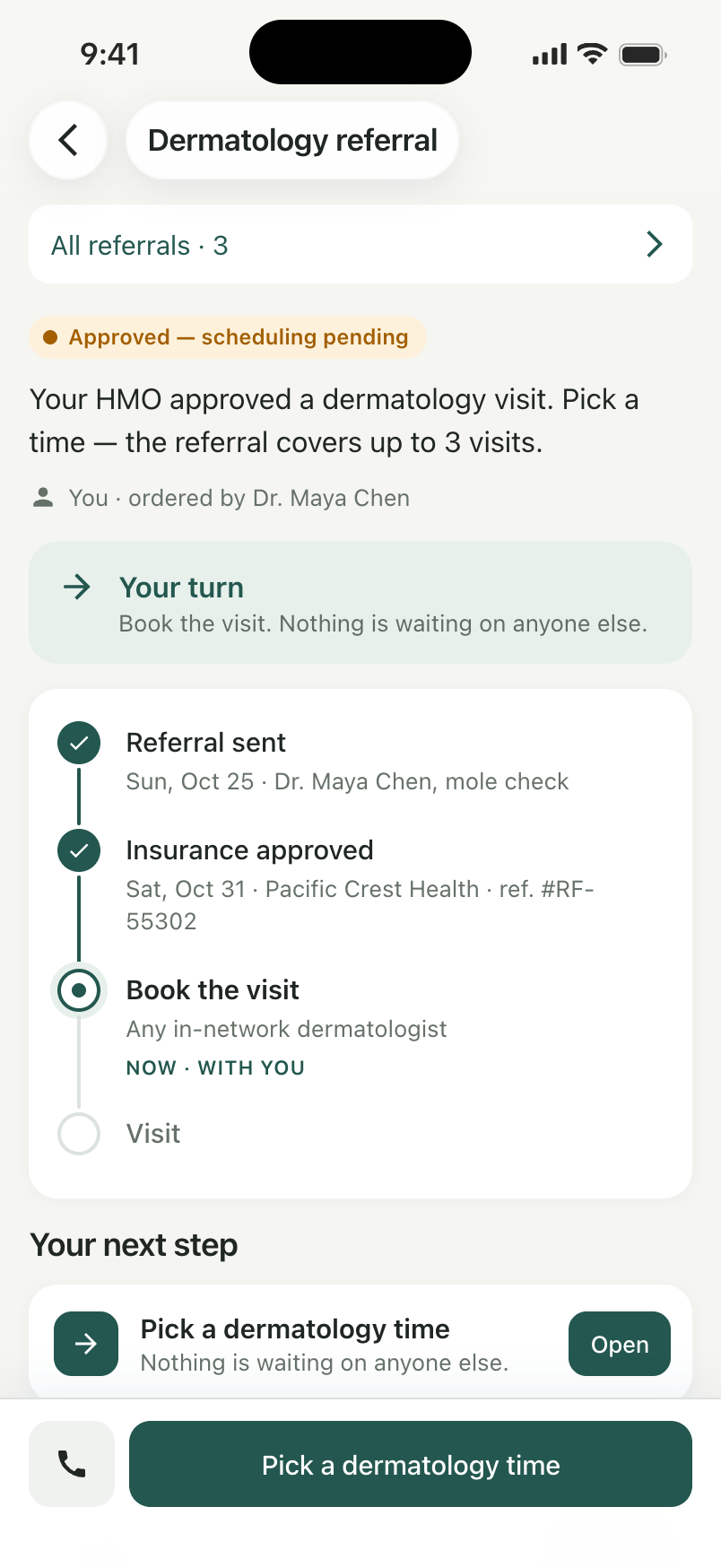
Sending a request does not tell the patient what happens next. A referral may need an office review, plan approval and a booking, each handled somewhere different. We focused on making that progress understandable and giving the patient a practical way to follow up.
A patient may be waiting on the doctor, while another request is waiting on the insurance plan. The doctor needs to distinguish those responsibilities, see the relevant patient context and act without reconstructing the whole story from separate screens.
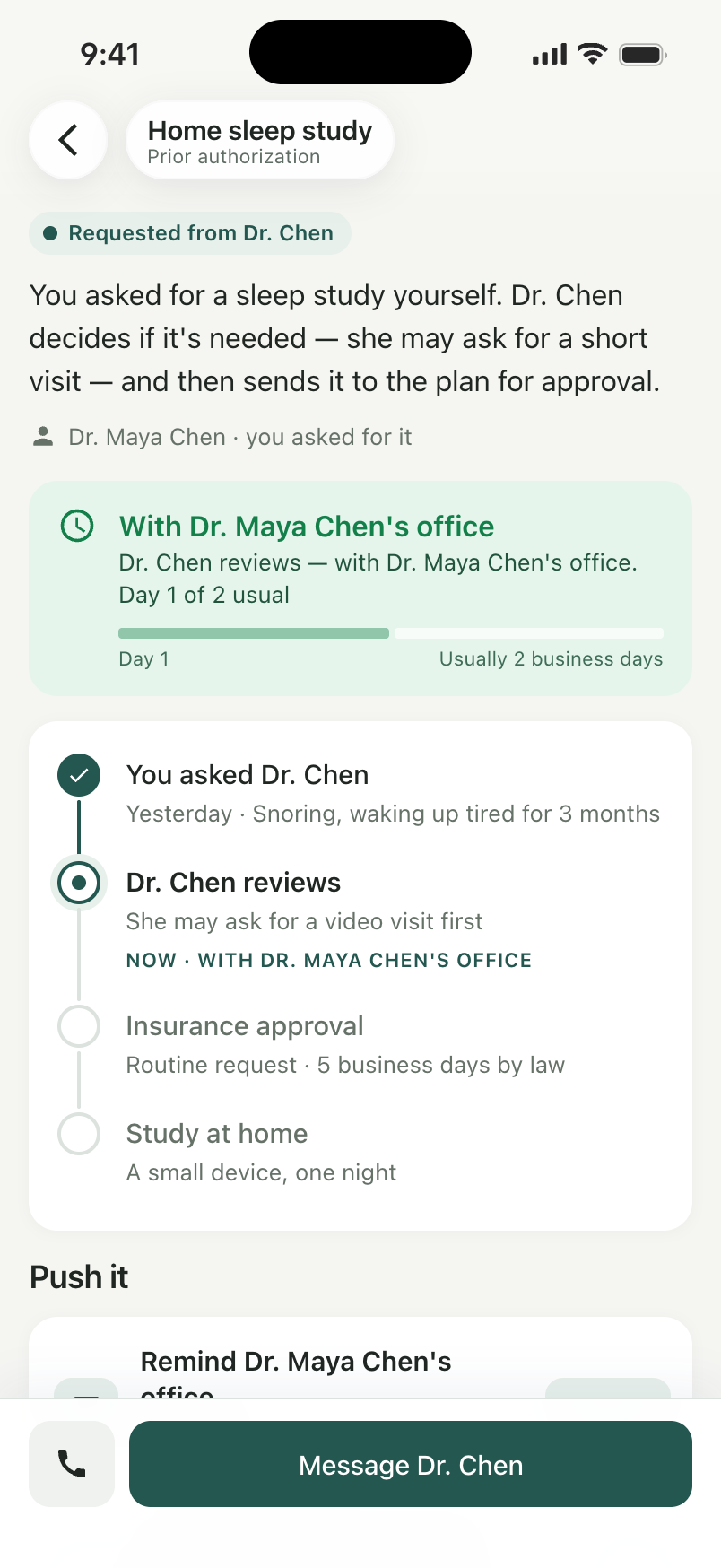
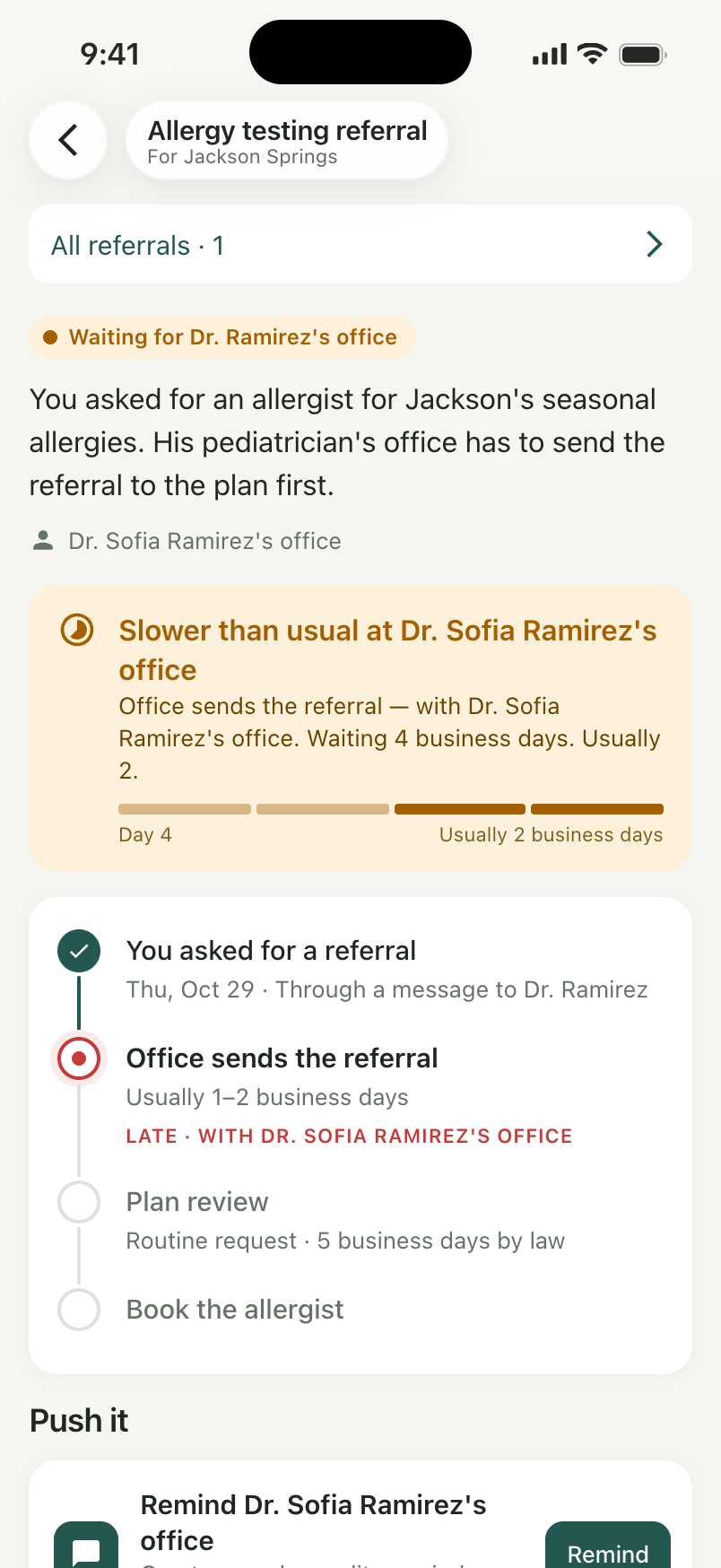
We organized the experience around the request and its stages. Instead of one broad pending status, the patient can see who has the request, what comes next and whether there is something for them to do.
We brought follow-up into the request itself, with the relevant contact and reference details close to the action. Prescriptions and visit summaries keep their own views because collecting medicine and revisiting a care plan are different tasks from following an approval.
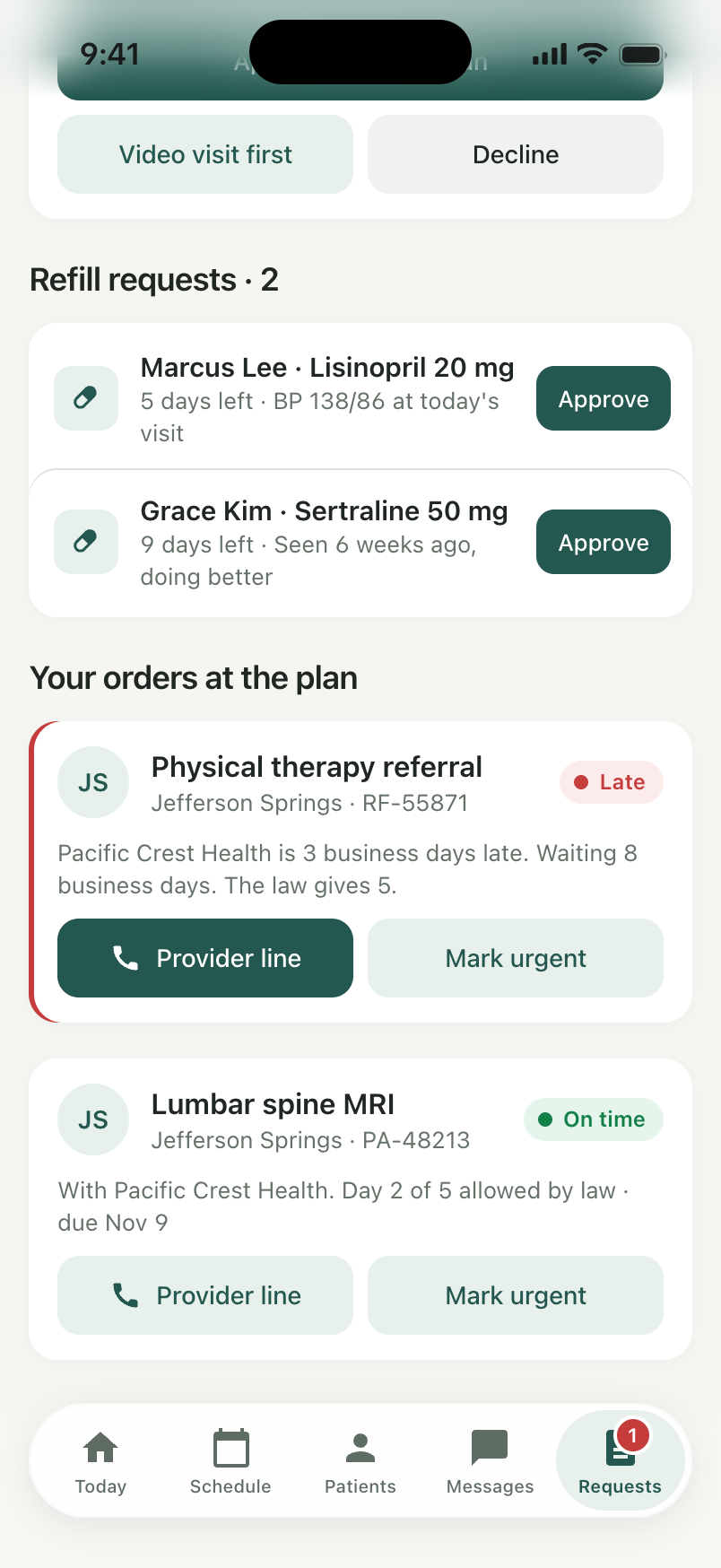
We separated requests needing a doctor’s decision from orders awaiting another organization. Each request brings its context and the relevant choices into view: approve, ask for a visit first or decline.
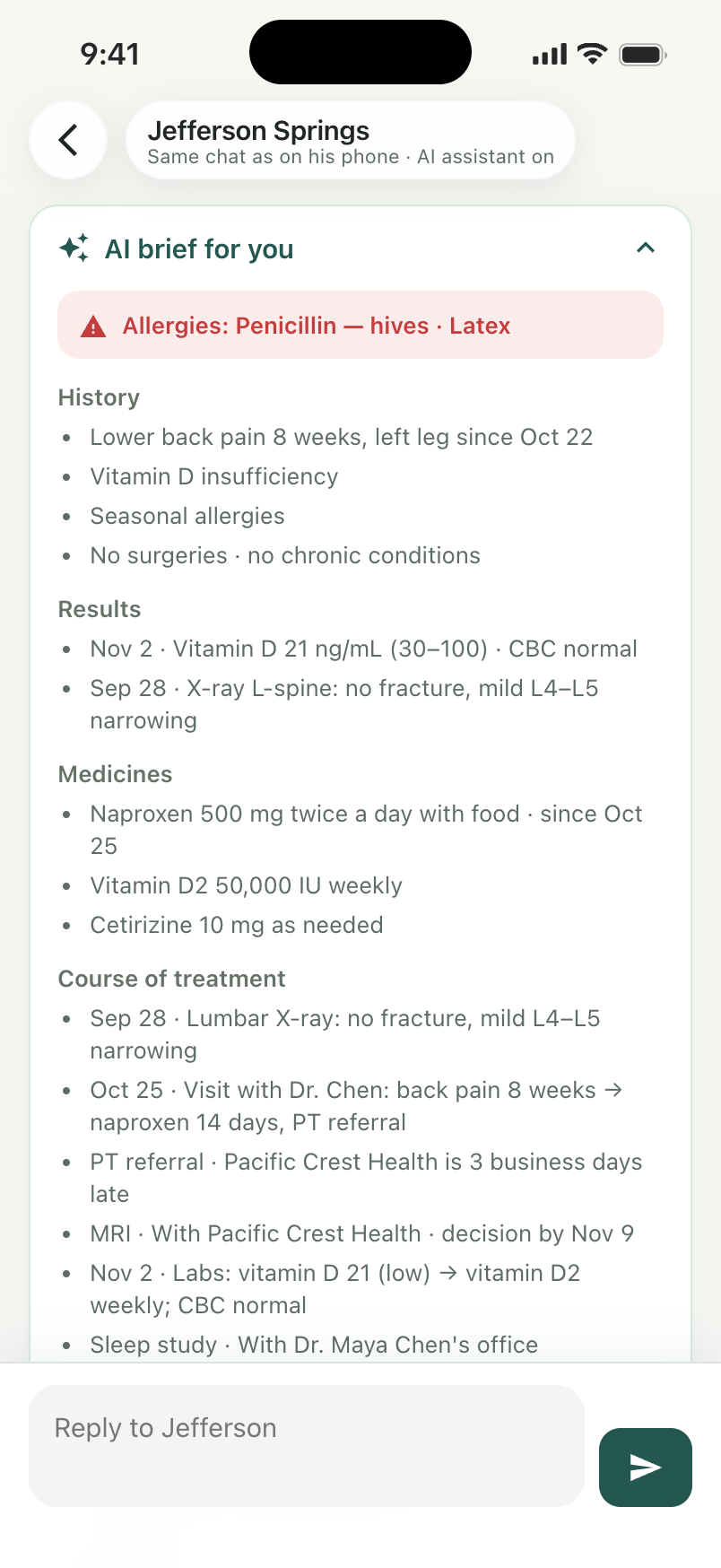
We connected supported decisions back to the patient’s request and kept history, results, medicines and the course of care close to the conversation. The assistant brief is designed to support the review; the decision remains with the doctor.
We shaped the patient and doctor experiences around the same care request: who has it, what is waiting and what the next action should be. We designed the request stages, follow-up actions, medication views and patient context, then built the frontend so supported decisions on the doctor’s side are reflected in the patient’s experience.
01 / Find what needs attention
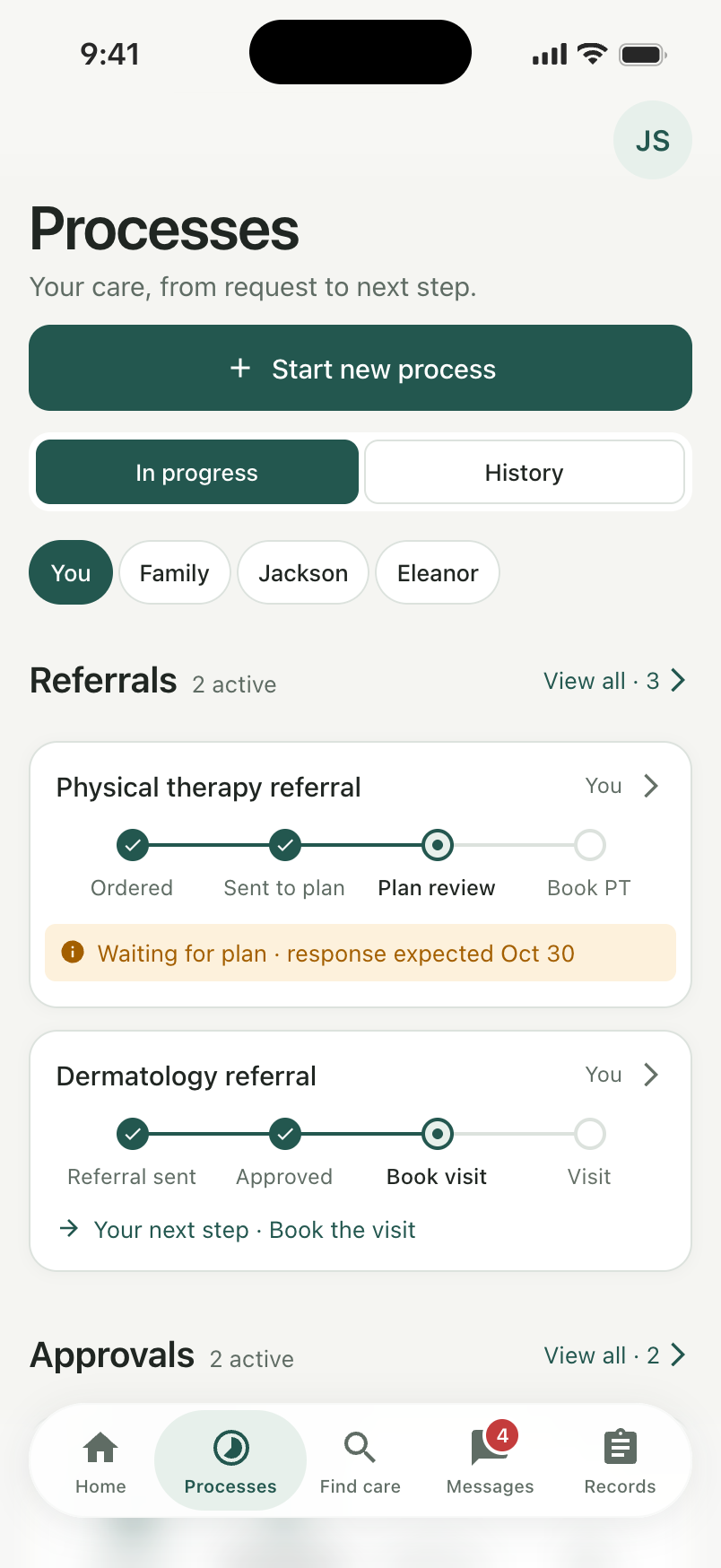
The overview brings referrals, approvals and tests together by person. Each request keeps its own stages and status, so the patient can check several ongoing items without opening every one.
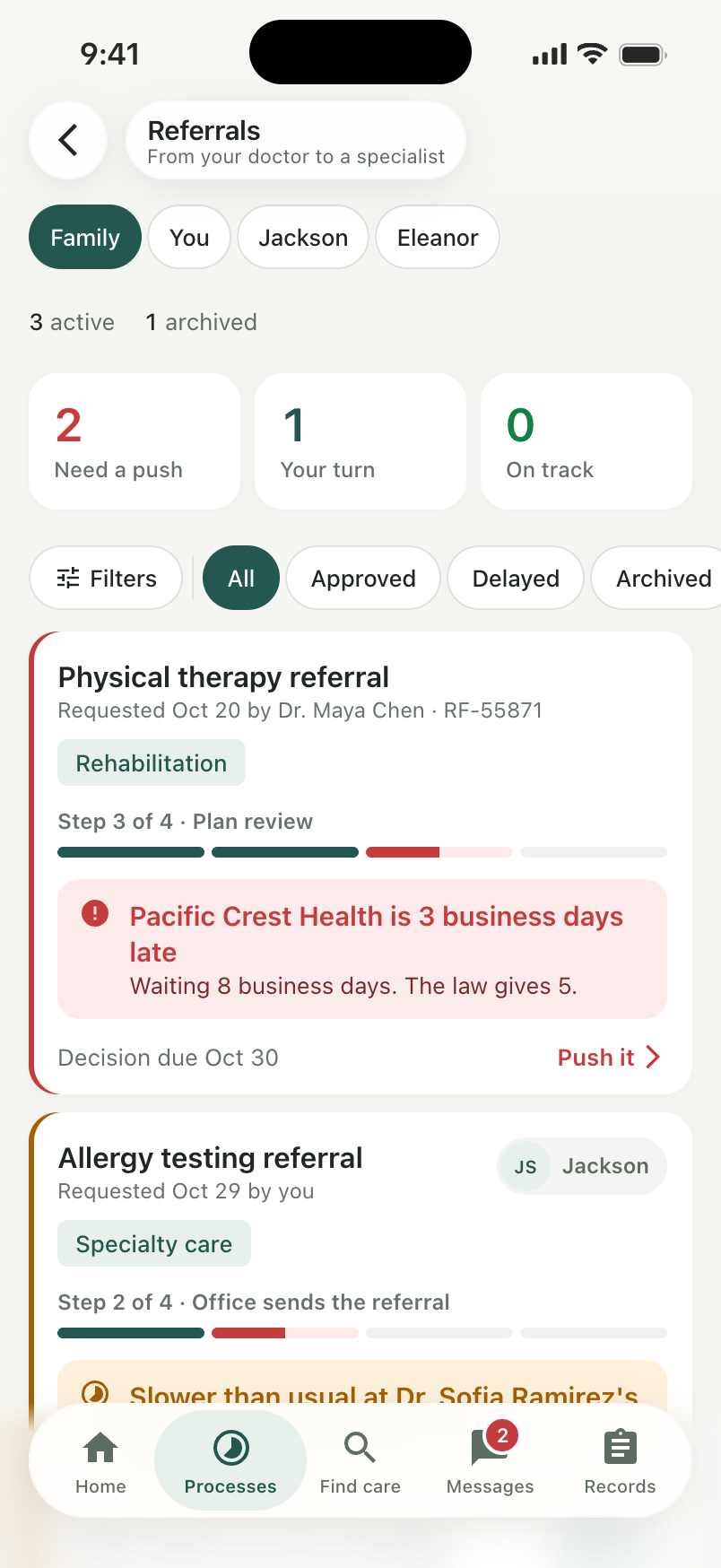
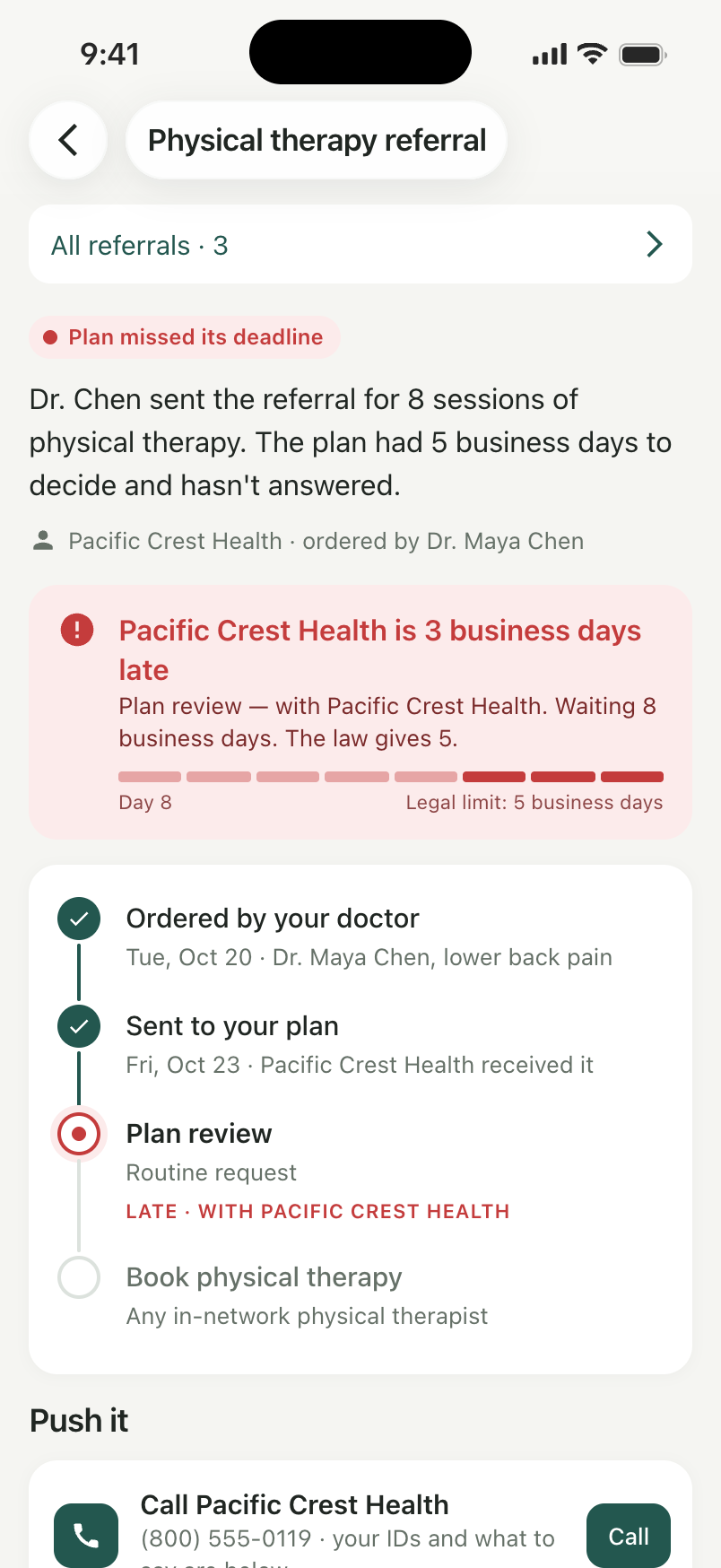
The referral list then distinguishes requests ready for the patient, requests still progressing and requests marked for follow-up. The sample dates and turnaround times illustrate these states; they do not establish a universal deadline.
02 / Follow the handoff
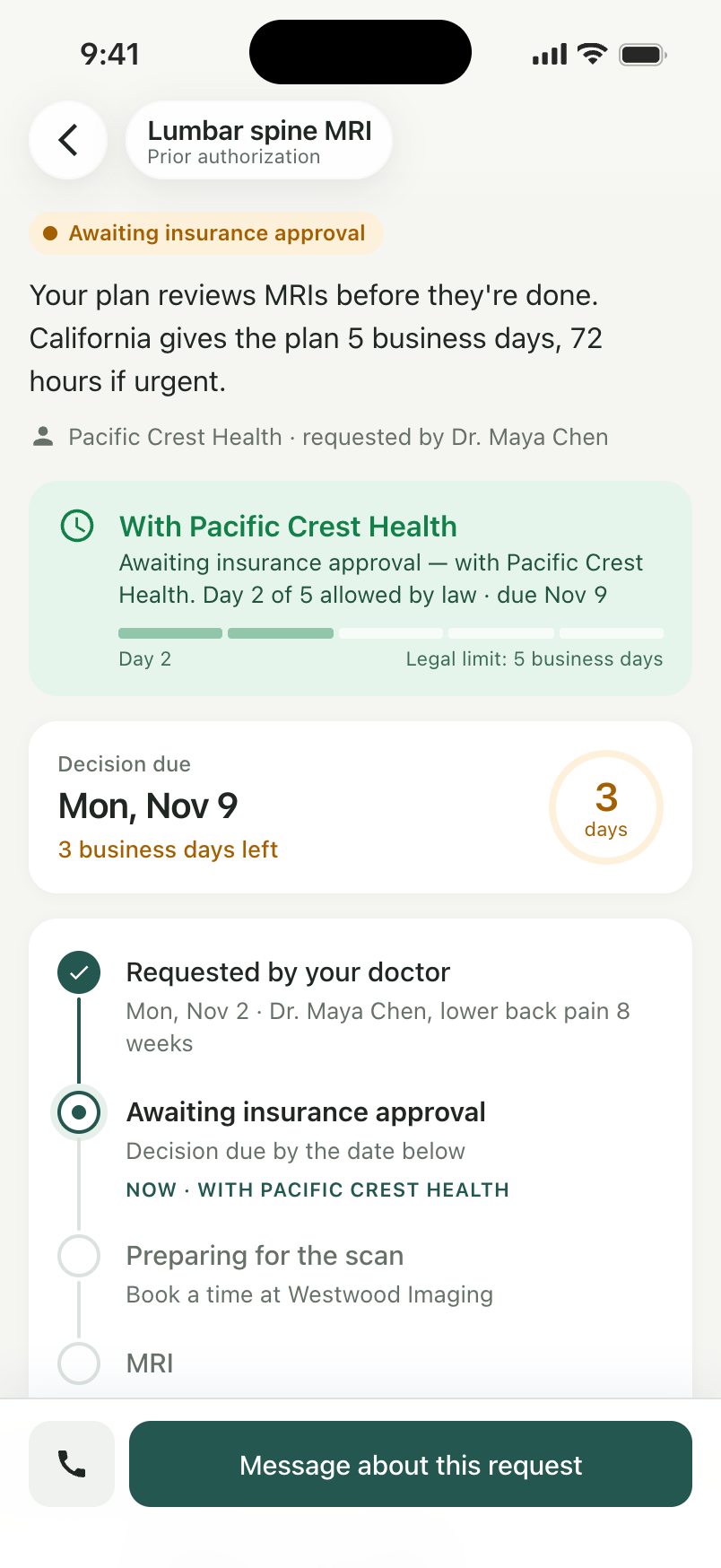
A referral can cross several organizations before the patient can book. We made the handoff visible within one request, keeping the completed step, current owner and next destination in sequence.
The MRI example is with the insurance plan before moving to the imaging center. That context helps the patient identify where to ask for an update, instead of starting again with each organization.
03 / Follow up with context
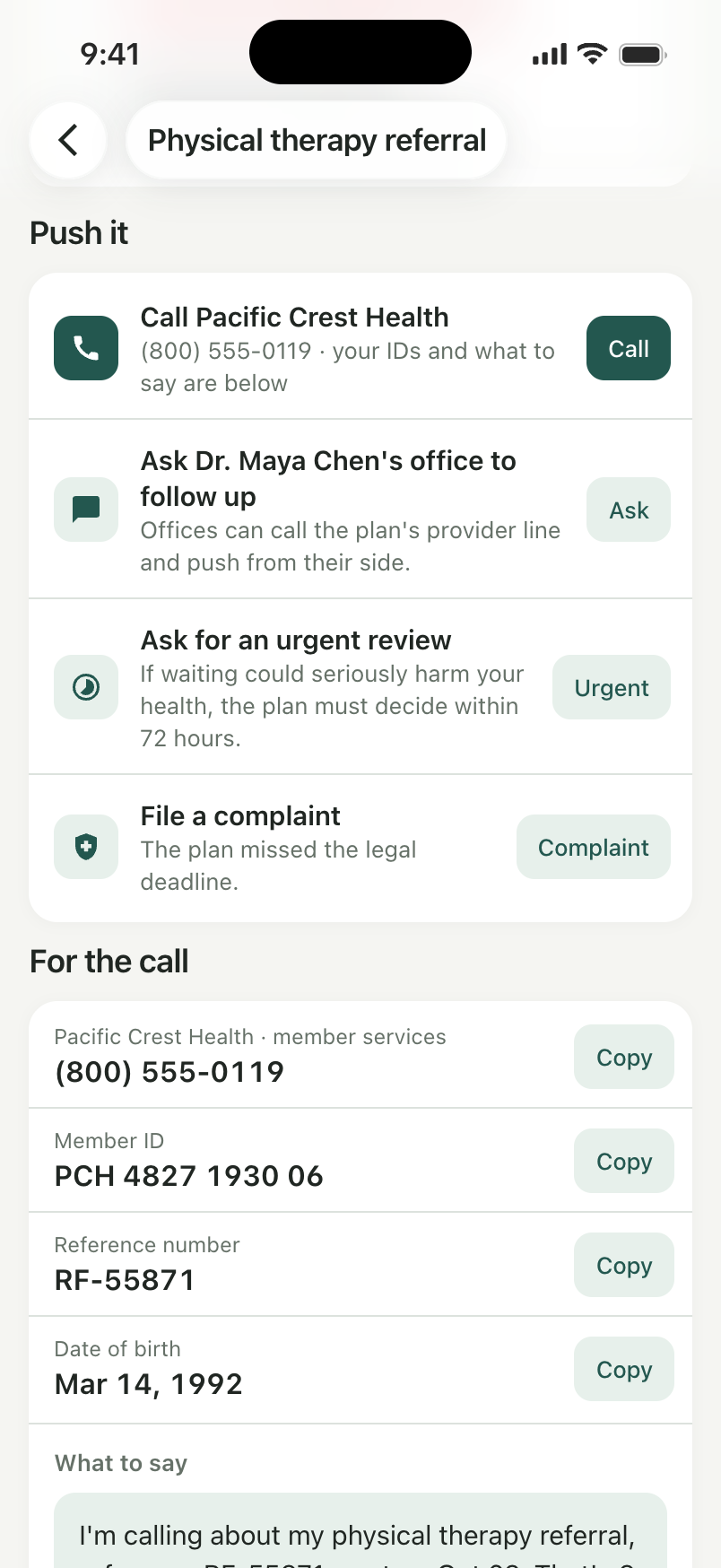
When a request needs follow-up, the patient should not have to collect its identifiers from several places. The action sheet brings the plan contact, member and request details, and suggested wording together.
The prepared scenario also shows ways to involve the doctor’s office or ask about a review. These are examples of making follow-up easier to prepare, without claiming that the app can accelerate an approval.
04 / Collect and manage medicine
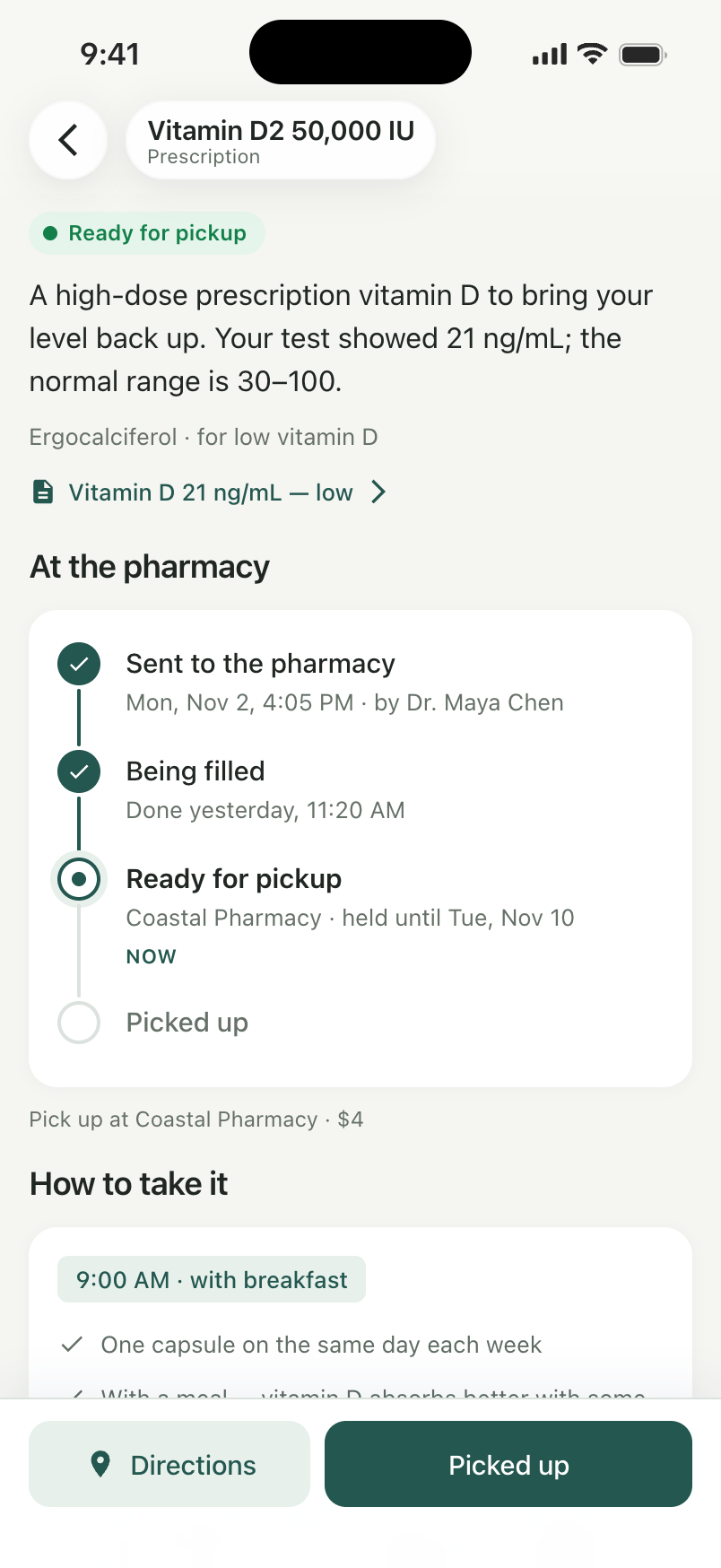
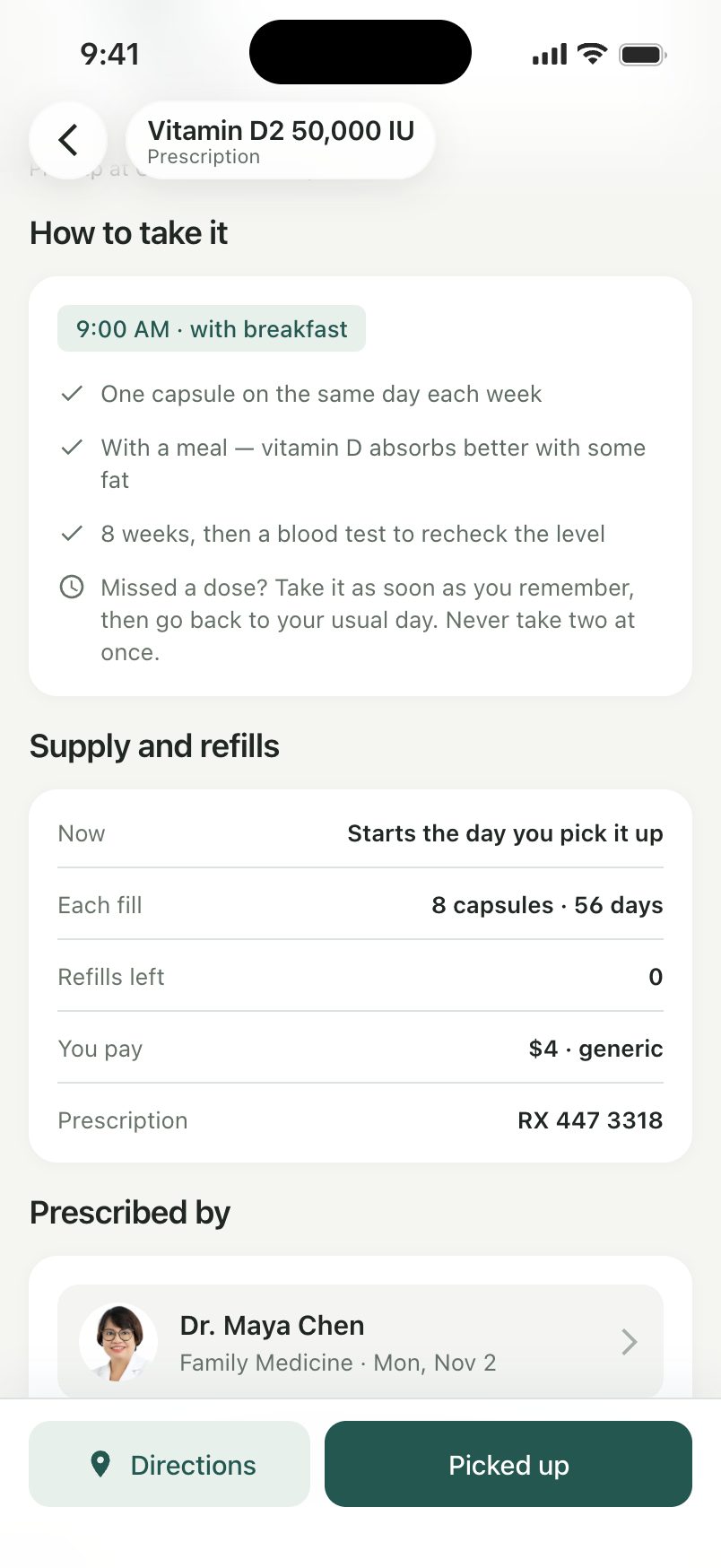
A prescription has a different next step from a referral. Its page shows the pharmacy stage and pickup information, then keeps the recorded instructions, supply, remaining refills and cost in the same place.
We kept this view separate so a patient looking for a pickup update or refill information can go directly to the medicine, without working through the referral tracker.
05 / Keep the plan
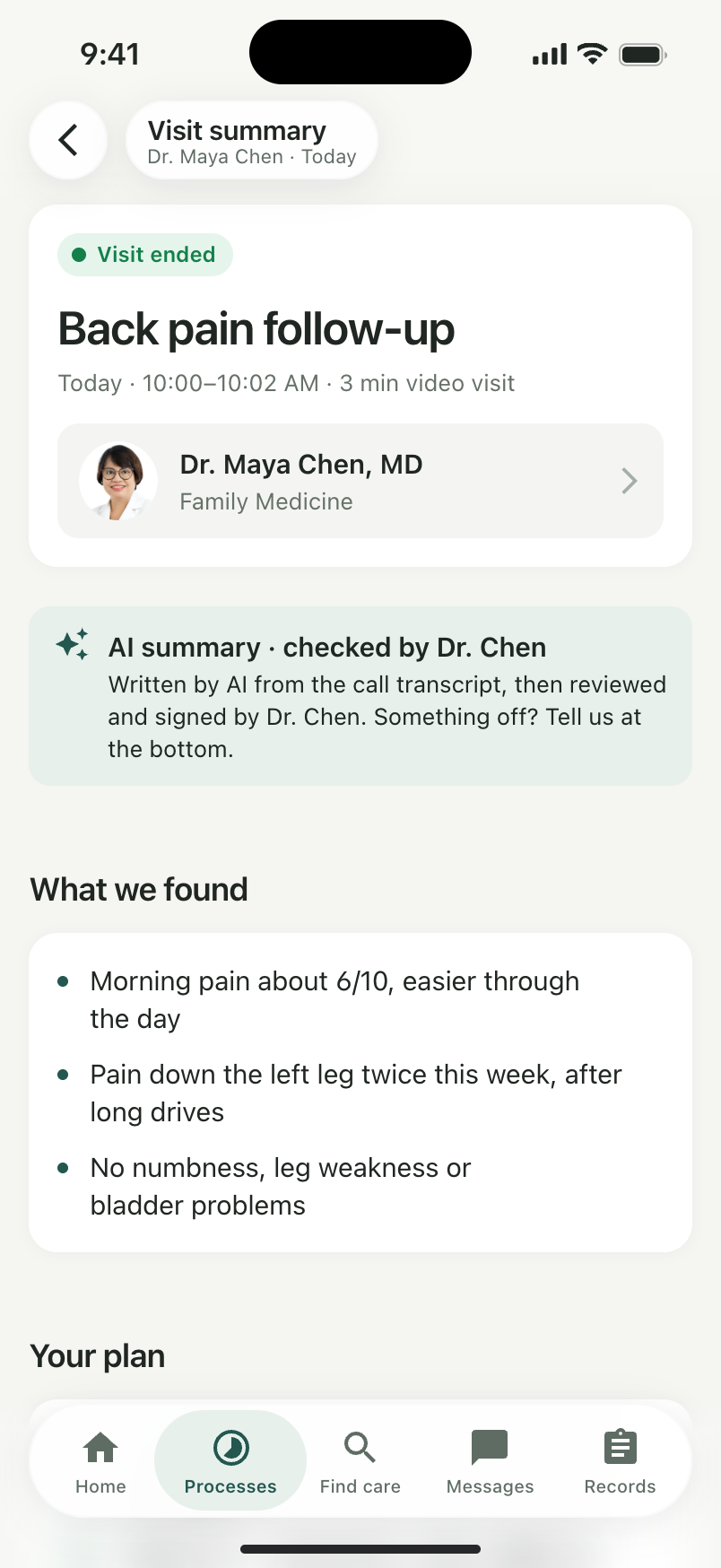
A visit summary keeps the recorded findings and plan available after the appointment. It gives the patient a place to return to when recalling what was discussed and what comes next, alongside the requests and prescriptions created during care.
01 / Find the patient who needs attention
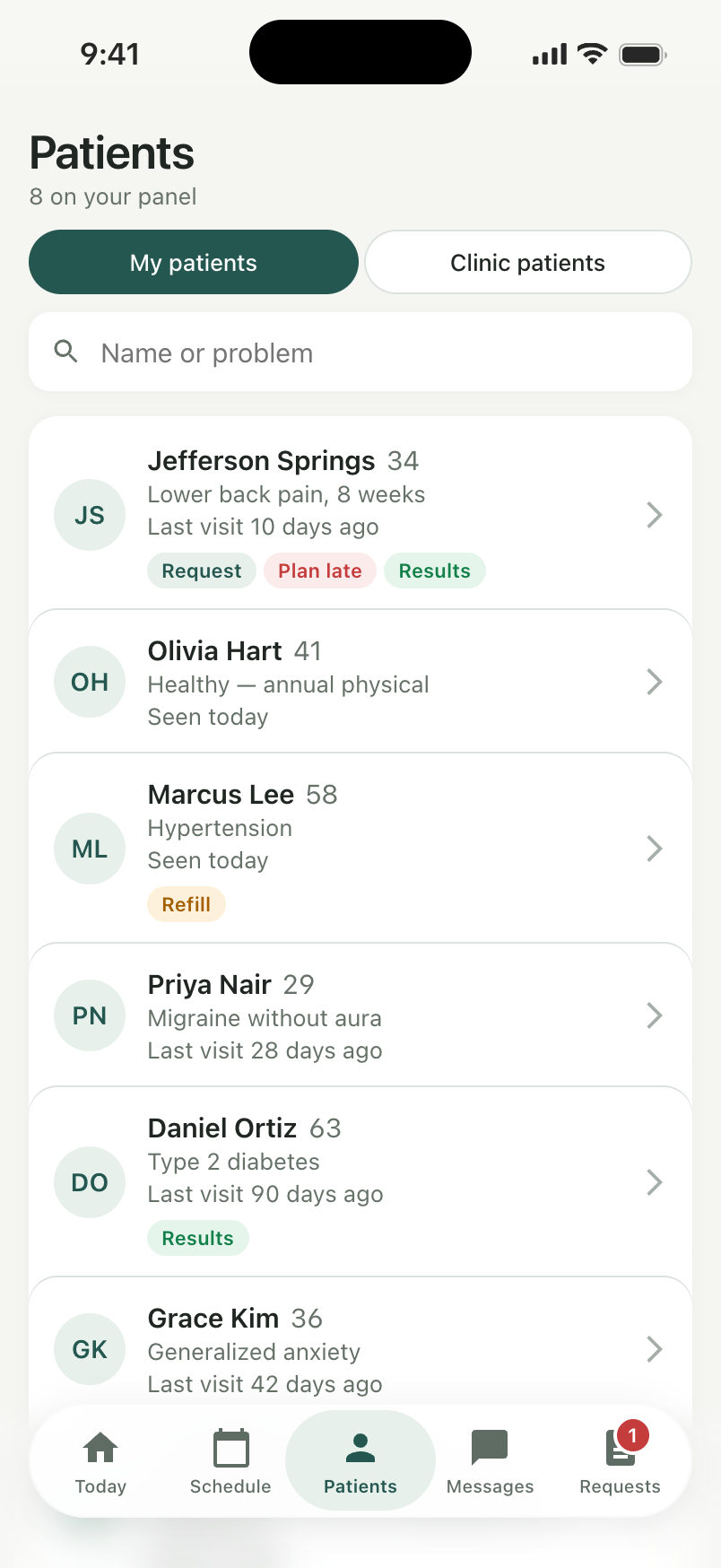
The patient list carries the flags that change what needs attention: a new request, new results or a plan still waiting. The doctor can identify the relevant person and open their context from the same place.
02 / Separate responsibilities
Requests and orders show which work is waiting on the doctor and which has already moved to the plan. This keeps an outstanding approval from looking like an unanswered patient request.
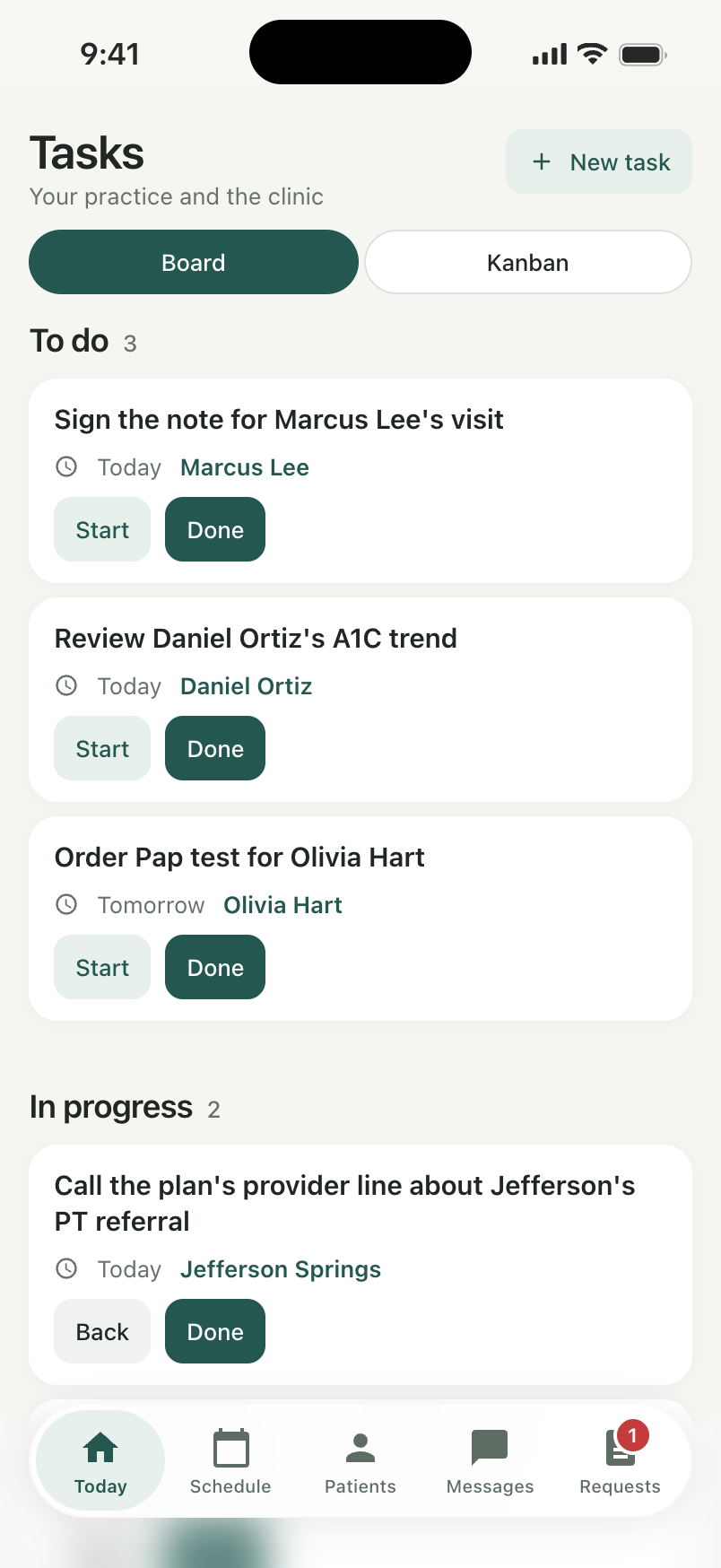
Tasks hold the related practice work, such as signing a note or following up with a plan, tied to the patient. The two views separate the request’s progress from the work the practice needs to do about it.
03 / Review and respond
The sample assistant brief brings history, results, medicines and the course of care beside the patient’s message. It also includes open requests, so a reply can take account of what is still waiting.
Supported actions connect the two sides: an approved request advances in the patient’s tracker, and a new prescription appears in their medicines. The brief uses prepared sample logic; it does not make the clinical decision.
The result
© 2026 SKARR.PRO
Categories
Choose your language